ServiceMinder integration

See how much product went out on every job

If you run your scheduling in ServiceMinder, connect it once and The Perfect Inventory pulls in the product recorded on each service call — how much, which technician, which customer, which day. No spreadsheets, no re-keying.
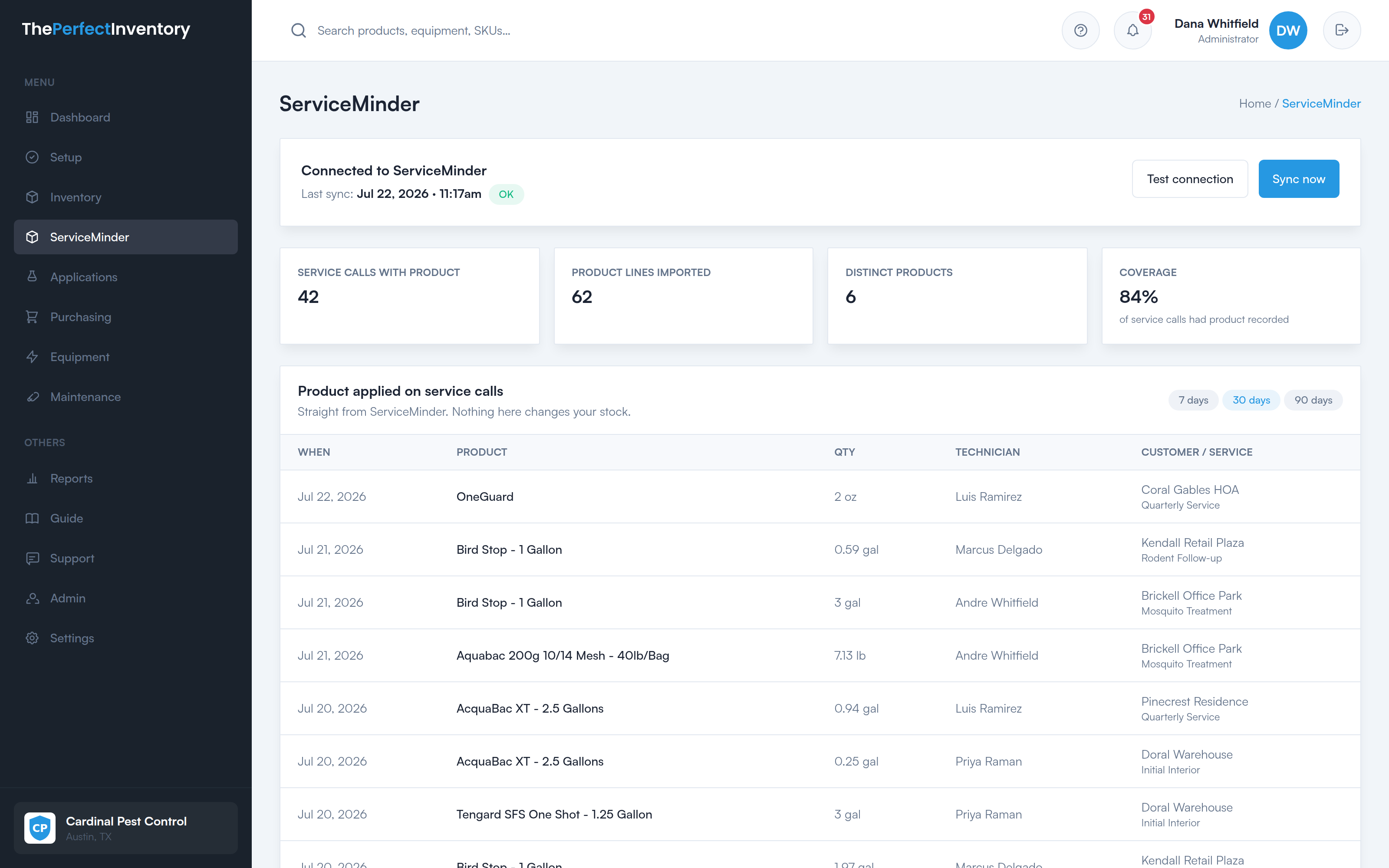
The ServiceMinder screen in The Perfect Inventory, listing product applied on each service call with quantity, technician and customer, above a coverage figure.
What comes across

The product line off each appointment

Every sync reads the completed service calls in your ServiceMinder account and records the product attached to them, ready to compare against what actually left your shelves.

Product and quantity

Every product recorded against a service call, with the amount and the unit it was measured in.

The technician on the job

Usage arrives attached to the technician who ran the appointment, so you can see consumption per tech, not just a company total.

Customer, service and date

Each line carries the customer, the service performed and the day it happened — the context that makes a number mean something.

Read-only, by design

It reads your ServiceMinder. It never writes to it.

The connection only ever asks ServiceMinder for appointments. It cannot book, change, cancel or delete anything in your scheduling system, and nothing in The Perfect Inventory pushes data back.

It is equally careful on our side: imported usage is shown for you to review. It does not silently adjust your stock counts, and it does not touch your pesticide application records.

  • Reads appointments and the product on them
  • Records who applied what, and when
  • Shows you what was imported, every sync
  • Books, edits or cancels appointments
  • Changes your stock levels automatically
  • Writes to your compliance records
Know what you are looking at

It tells you how much it can actually see

An import is only as complete as the records behind it. If your technicians do not log materials on a visit, there is nothing for us to pull — so instead of quietly reporting a number that looks precise, every sync shows a coverage figure: the share of service calls that had any product recorded against them.

When coverage is low, we say so on the screen. You always know whether you are looking at the whole picture or the part of it that got written down.

A coverage figure on every sync

The share of service calls that carried product, shown next to the totals it produced.

A full sync history

When each sync ran, the window it covered, how many calls it read and what it brought back.

Products matched to yours

Link a ServiceMinder product to one of yours once, and past imports line up with it too.

Setup

Connected in about a minute

1

Generate a key

Create an API key inside your ServiceMinder account.

2

Paste it in Settings

Drop it into The Perfect Inventory and test the connection.

3

Sync

Pull your recent service calls, then sync any time you want a refresh.

Entirely optional. Don’t use ServiceMinder? Nothing changes — the rest of The Perfect Inventory works exactly the same.

Want to see it against your own data?

Book a walkthrough and we’ll show you what the import looks like for a company that runs the way yours does.

See it on your own stock list

A 30-minute walkthrough of the dashboard, the reorder worklist, a purchase order, and the field portal — using your products, not a canned demo.