Who we serve

Built for pest control. Fits any truck that carries stock.

Pest-control operators are who we build for first — from a single branch to a multi-location franchise. If your crew loads chemicals, parts, or equipment onto a truck in the morning, the same problems show up, and the same system solves them.
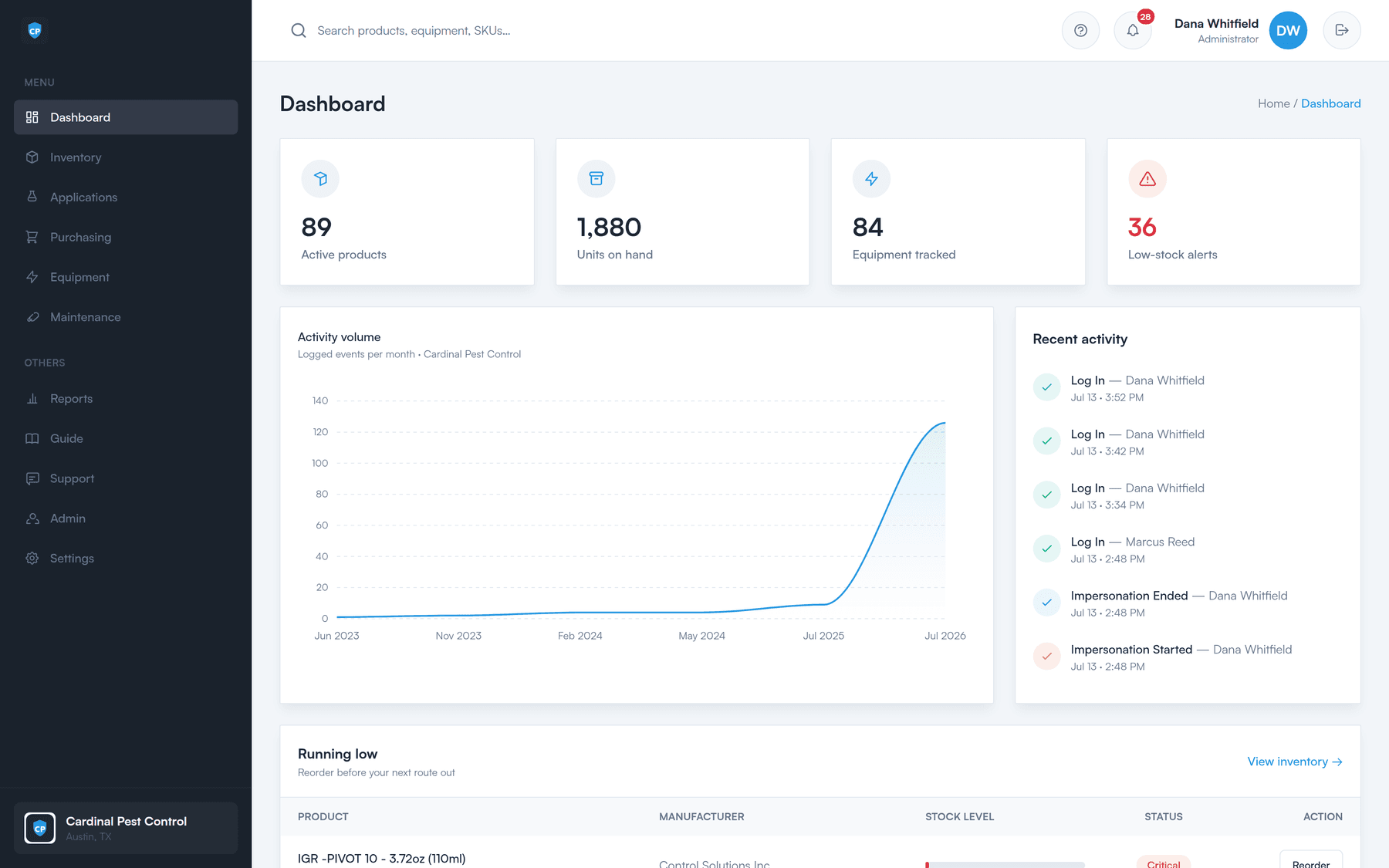
The Perfect Inventory dashboard showing active products, units on hand, equipment tracked, low-stock alerts, and a running-low reorder list.
Pest control

Compliance isn't bolted on here

A generic inventory tool tracks boxes. A pest-control operator also has to prove what was applied, where, by whom, and on whose license. That record lives in the same system as your stock — which is why logging an application also keeps your counts straight.

  • Every application on the record

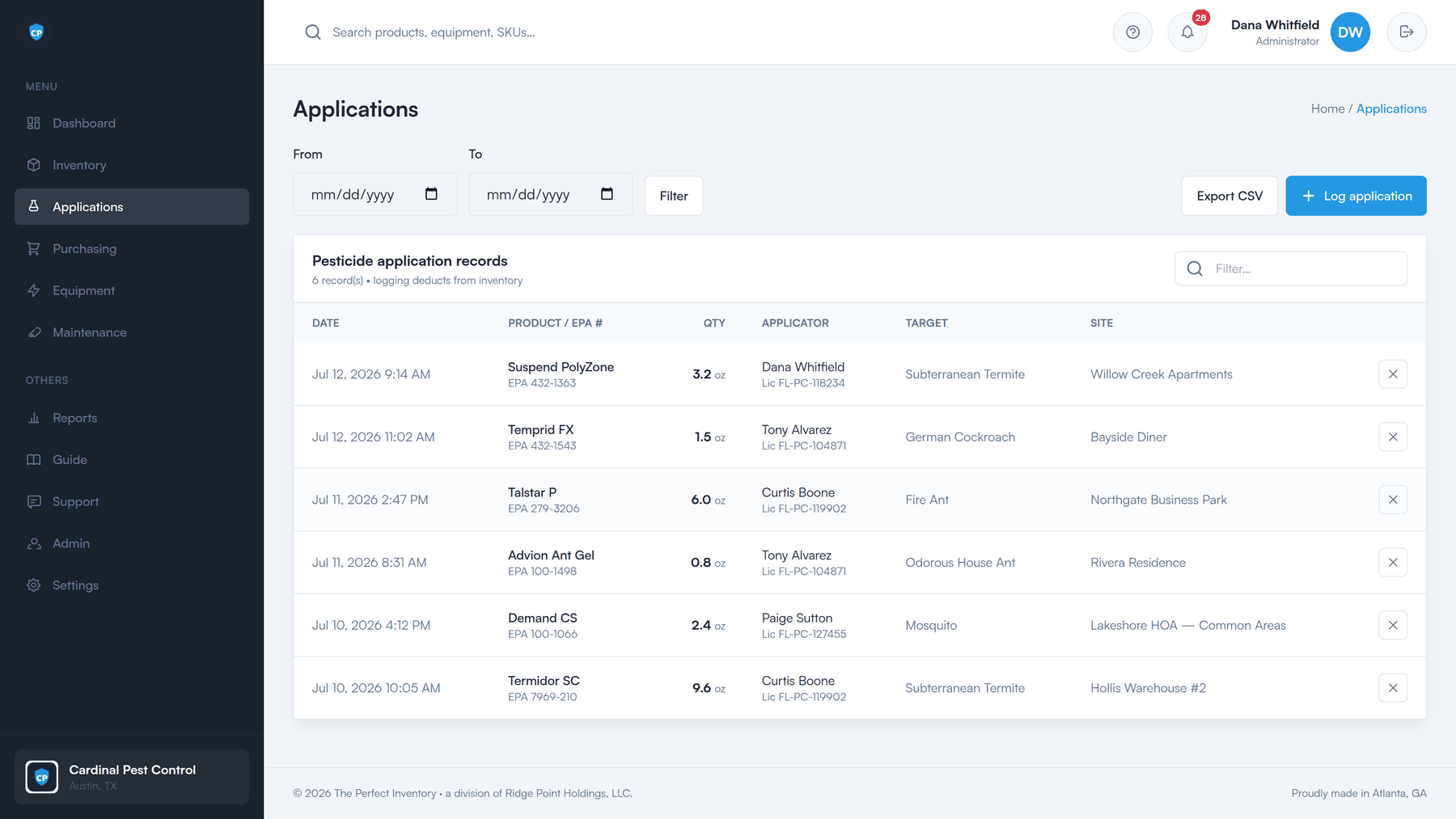
    Product with its EPA registration number, applicator, amount, target pest, and site — time-stamped and defensible.

  • Applicator licenses tracked

    Number, category, and expiry, with alerts before one lapses, so nobody applies on an expired license.

  • Stock stays accurate for free

    Logging an application deducts it from inventory. No second spreadsheet, no double entry.

  • Audit-ready in one click

    Export the compliance record to CSV and hand a regulator exactly what they asked for.

How compliance logging works
Pesticide application records: date, product with EPA number, quantity, applicator with license number, target pest, and site.
The people who use it

Two kinds of user, one system of record

The office handles setup, purchasing, and reporting. The techs check stock in and out and log what they applied. Both are working on the same numbers.

Owners & office managers

The full web app, on a desktop or a phone.

  • Load products and equipment, and set a low-stock threshold per product
  • Work the “needs ordering” worklist into a numbered purchase order
  • Email a branded PO to the vendor, then receive it in full or in part
  • Pull product-usage and maintenance reports, and export them to CSV
  • Manage people, roles, and who has access to which location
See the PO workflow

Field technicians

A touch-friendly tablet portal — no full account needed.

  • Sign in with an employee ID and a 6-digit PIN, not a password
  • Check product out before a route, check the rest back in after
  • Log an application from the field, on the tablet, as it happens
  • Every movement lands against a named technician
  • Equipment stays assigned to whoever is holding it
See the field portal
Multi-location franchises

One branch or twenty

Each branch runs as its own workspace, with its own stock, its own equipment, and its own people. Someone who covers more than one location switches between them in a single click — no signing out, no second account.

More on teams and administration

A workspace per branch

Stock, equipment, and people are counted per location, not thrown into one pile.

Switch in one click

Users with access to more than one location move between them without logging in again.

Roles that hold

Administrators run setup and purchasing; technicians use the field portal. Sensitive pages stay admin-only.

Your data is yours

Each company gets its own secure, branded workspace, fully isolated from every other company.

Also fits

Any field-service business that stocks a truck

We lead with pest control because that's where the compliance work lives. But nothing about counting stock, assigning equipment, and running purchase orders is pest-specific.

Lawn care

Mosquito control

Wildlife control

Sanitation

HVAC

The honest version: the application log and applicator-license tracking are built for pest control. If you don't need them, don't use them — inventory, equipment, maintenance, and purchasing stand on their own.

See everything it does

See it on your own stock list

A 30-minute walkthrough of the dashboard, the reorder worklist, a purchase order, and the field portal — using your products, not a canned demo.