Reports & alerts

Act before it becomes a problem

A dashboard that shows stock health, what needs ordering, and what maintenance is coming. An alert bell that counts what needs attention. And product usage and maintenance reports you can filter by date and export to CSV.
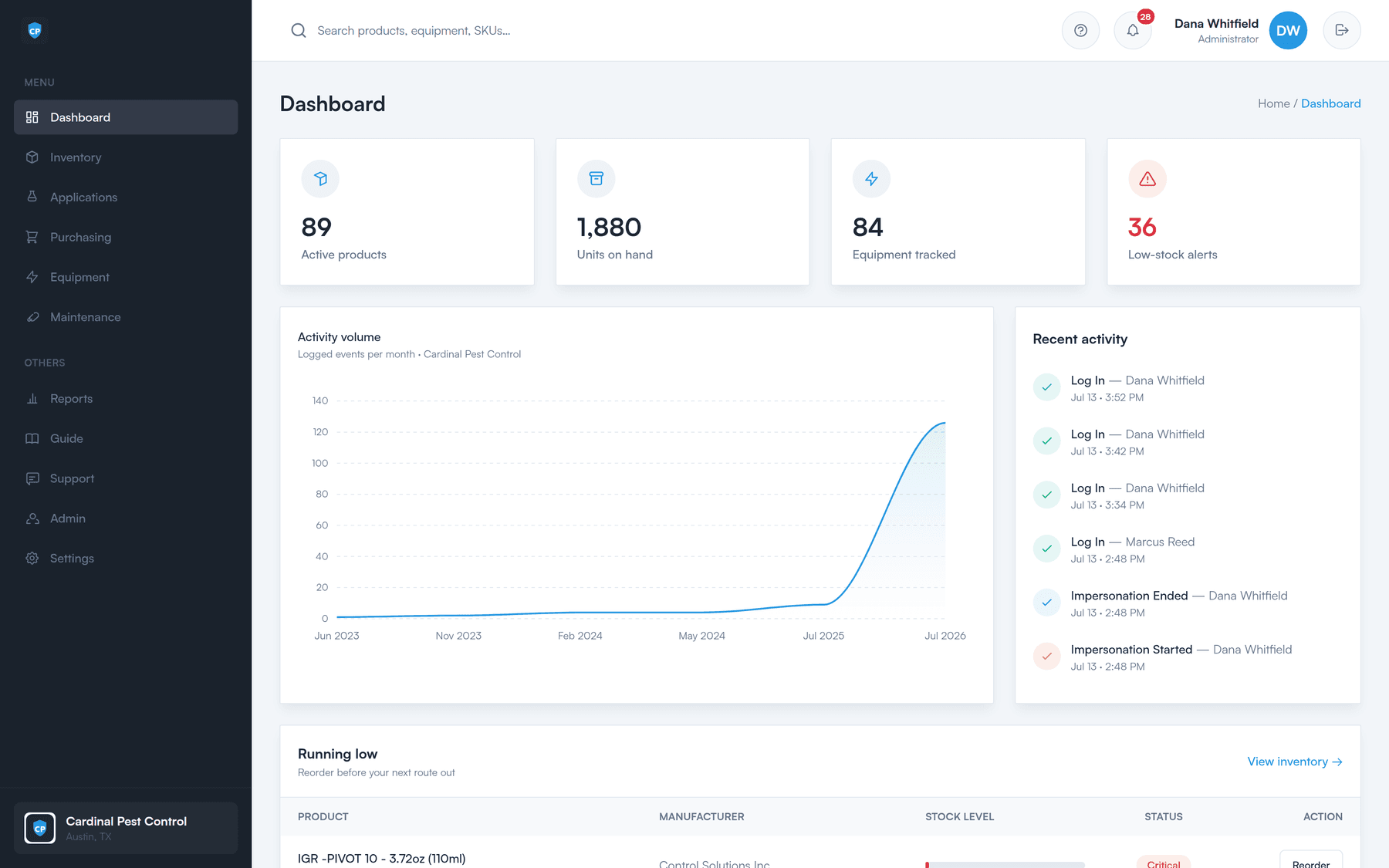
The dashboard: active products, units on hand, equipment tracked, low-stock alerts, an activity chart, and a running-low list.
The dashboard

The state of the business, at a glance

The first screen after sign-in answers the questions an owner or office manager asks every morning — without opening a single report.

Stock health

Active products and total units on hand, so you can see the shape of your inventory in one number.

What is running low

A running-low list, right on the dashboard, of the products sitting under their low-stock threshold.

Equipment and maintenance

Equipment tracked and maintenance coming due, so nothing sits on a truck past its service date.

Recent activity

An activity chart of stock movement, so an unusual week is visible instead of buried.

Turn the running-low list into a purchase order
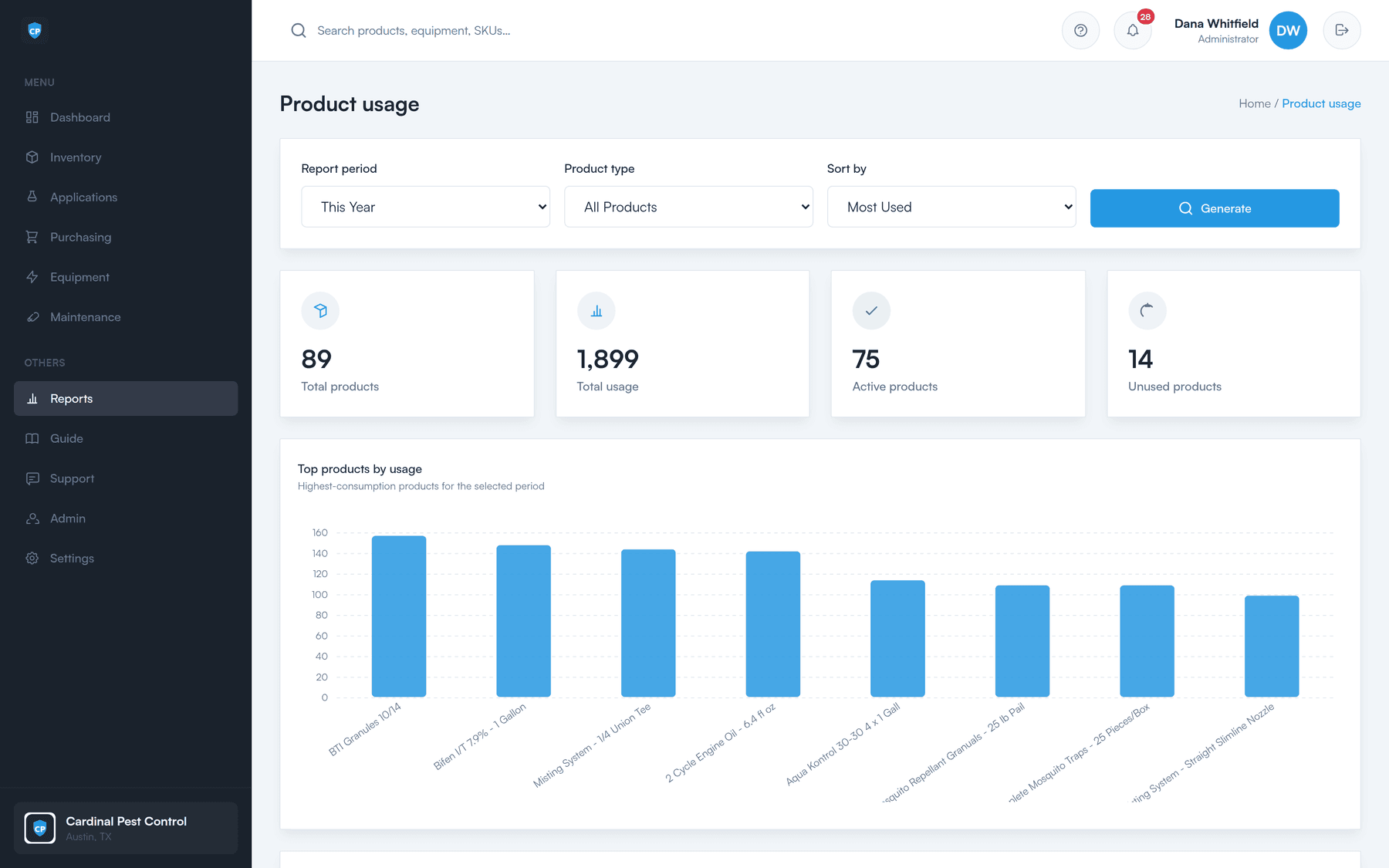
The product usage report: products with quantities used over a selected date range, with a CSV export.
Reports

Product usage and maintenance, over any date range

Pick a window, run the report, and see what was actually consumed. It is how you find out which products move, which ones sit, and what a season really costs you.

  • Product usage report

    How much of each product left the shelf in the period you choose — the basis for smarter reorder thresholds.

  • Maintenance report

    What has been serviced and what is due, so equipment upkeep is a record instead of a memory.

  • Date filters

    Run it for a week, a month, a season, or a year. The same report answers all of them.

  • CSV export

    One click and you have a CSV — hand it to your bookkeeper, or open it in the spreadsheet you already live in.

See the compliance export
Alerts

One bell, three things that bite

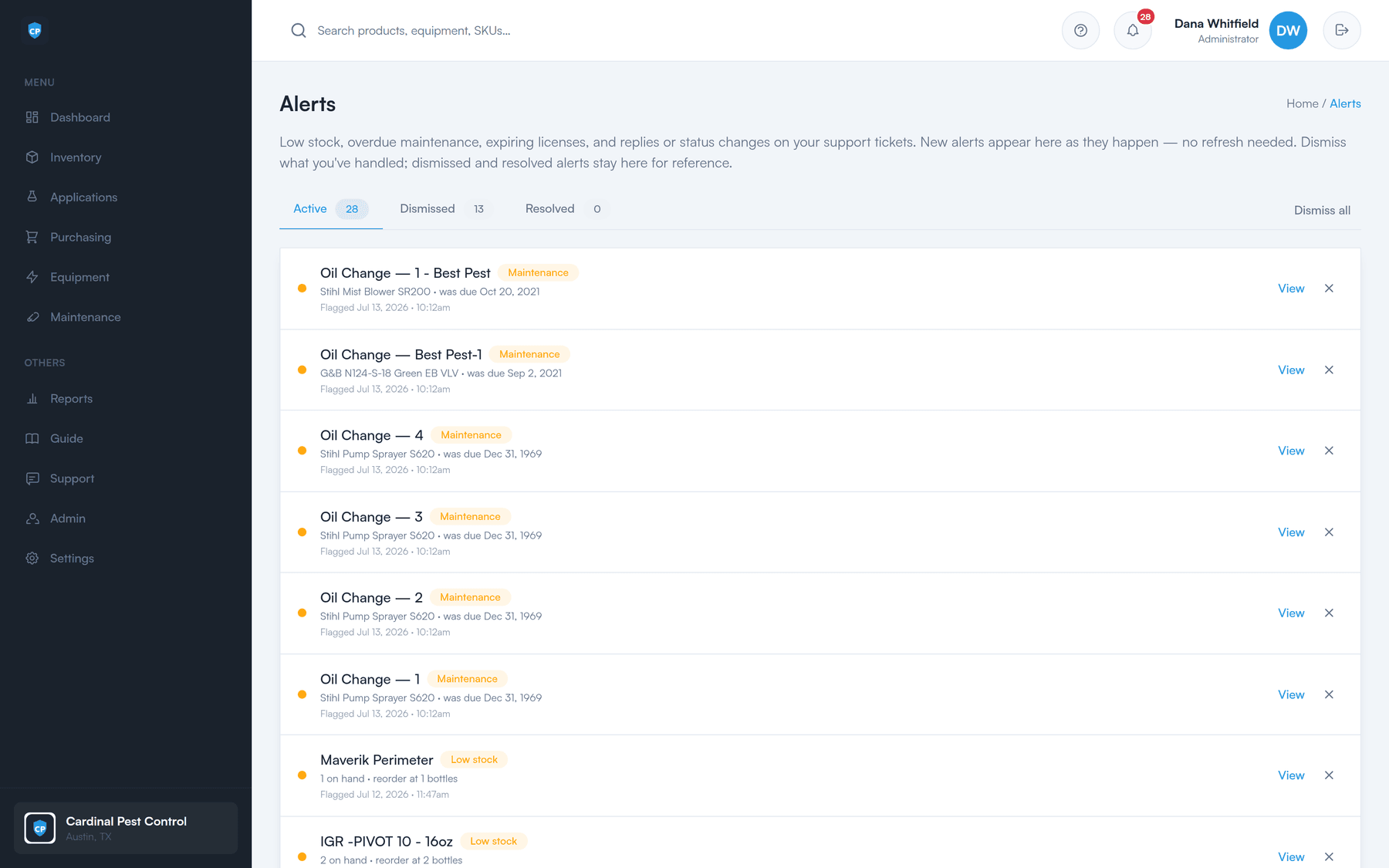
The alert bell in the app carries a count. Open it and you get the list — the things that turn into a wasted stop, a broken sprayer, or a compliance problem if nobody looks at them this week.

  • Low stock

    Products that have fallen under the threshold you set for them.

  • Maintenance due

    Equipment whose recurring service is up, before it fails on a route.

  • Expiring licenses

    Applicator licenses coming up on their expiry date, so nobody applies on a lapsed one.

The alerts page, listing low-stock products, maintenance that is due, and licenses that are expiring.
What it's for

Numbers you can do something with

Understand consumption

Know what a route, a month, or a season actually burns through — instead of guessing at reorder time.

Spot trends

Usage over a date range shows you what is climbing and what is dead stock on your shelf.

Feed your accounting

Export to CSV and hand it straight to whoever closes your books.

Get ahead of the problem

Low stock, due maintenance, and expiring licenses come to you — you do not have to go looking.

See it on your own stock list

A 30-minute walkthrough of the dashboard, the reorder worklist, a purchase order, and the field portal — using your products, not a canned demo.