One catalog of every sprayer, bait gun, and meter the company owns — what it is, what it cost, whether it's still under warranty, and which technician is holding it right now. Then put it on a maintenance schedule so it doesn't die on a route.
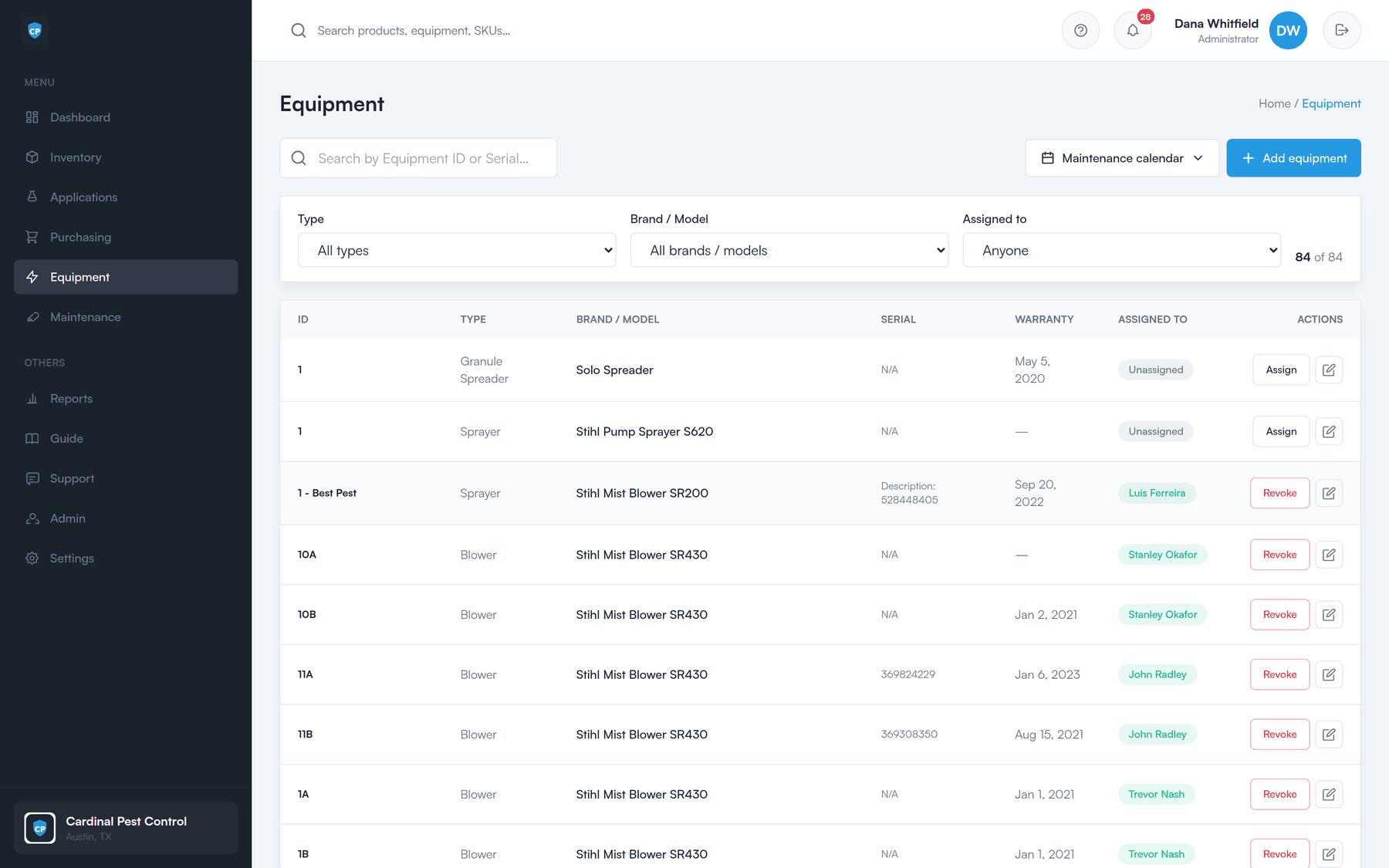
Not a whiteboard, not a folder of receipts, and not "ask Dave." A record per item, with the details you need when something breaks, goes missing, or comes up for renewal.
Type, brand, model, serial number, warranty, and cost — recorded once, in one place, for every asset the company owns.
Equipment is checked out to a named tech and checked back in when it comes home. You always know who is holding what.
Each item has its own secure link, so records can’t be pulled up or altered by guessing at a URL.
What gets recorded per item
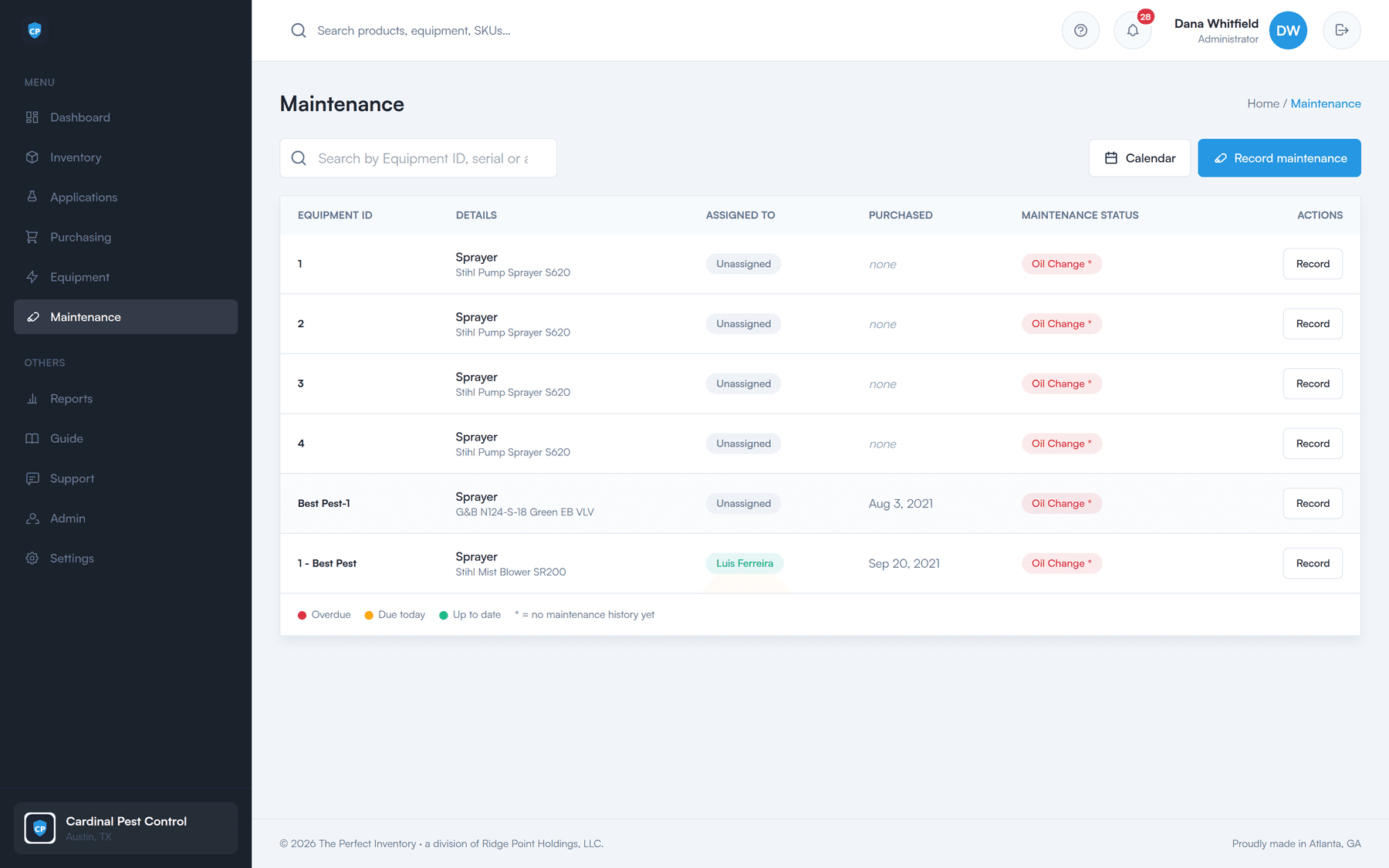
Set a recurring maintenance schedule per equipment type once, and every item of that type inherits it. A status board tallies what's overdue, due soon, up to date, and never serviced — and the list sorts itself most-urgent first, so the red items are the ones you see.
See what needs attention at a glance
Overdue, due soon, up to date, never serviced — counted across your whole fleet, with the most urgent equipment at the top of the list.
Concrete dates, not guesses
Each schedule shows when it was last serviced and exactly when it’s next due — or how many days it’s overdue.
Service history that travels with the asset
Every recorded service stays on the item, with who did it and when. Expand any piece of equipment to see its full timeline.
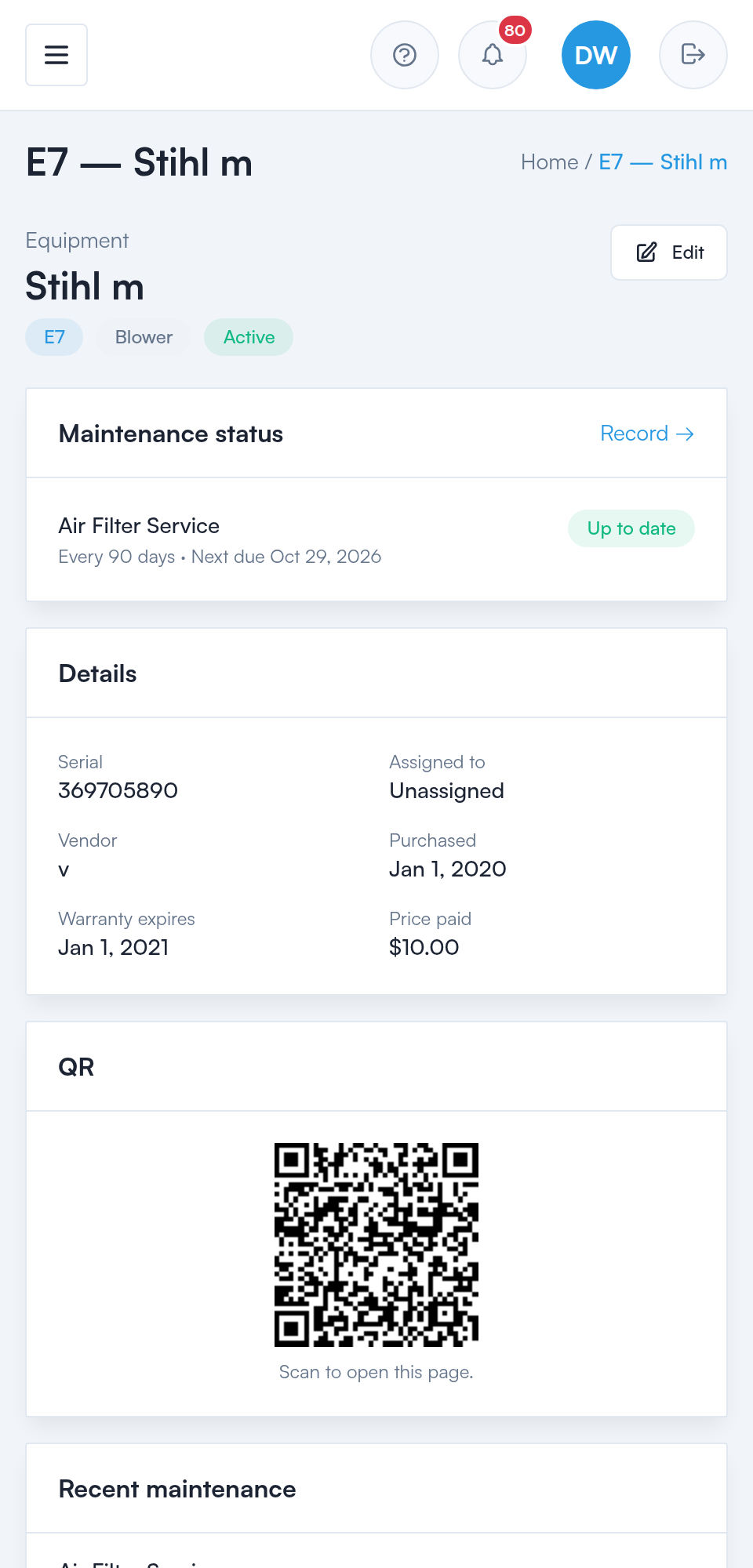
Print a QR sticker for any piece of equipment — a whole sheet at a time for Avery labels — stick it on, and a scan opens that exact item on a phone. It asks the tech to sign in first, then drops them on the equipment's details, its maintenance status, and its service history. No digging through the app to find the right record.
Print a sheet of labels
Pick the equipment you want and print QR stickers laid out for Avery Presta 94103 sheets.
Scan to the right item
The sticker links straight to that asset — not a generic page — so there’s no hunting.
Sign-in required
The link isn’t public. Scanning sends the tech to sign in, then on to the item.
Fix it from there
They land on maintenance status and history, and can record a service on the spot.
Inventory products get QR labels too — same quick lookup, straight to the item.
There's an in-app maintenance calendar for a quick look at what's coming up. And if your team lives in Google, Apple, or Outlook Calendar, subscribe to the ICS feed and upcoming maintenance appears there too — no extra tab, no separate reminder to set.
See what’s coming up at a glance, without digging through a list of assets.
Point Google, Apple, or Outlook Calendar at the feed once. Maintenance lands in the calendars your team already uses.
Two questions, answered without a phone call: where is it, and when was it last serviced.
Know what the company owns, down to the serial number.
Know which technician has each item, and when it came back.
Check warranty and cost without going through a filing cabinet.
Get told that maintenance is due instead of finding out on a job.
See upcoming maintenance in the calendar your team already uses.
The same accountability, applied to product: live on-hand counts per location, stock in and out with full history, and checkout to a named technician.
See inventory trackingMaintenance and product usage reports with date filters and CSV export, plus an alert bell that counts what needs attention.
See reports and alertsA 30-minute walkthrough of the dashboard, the reorder worklist, a purchase order, and the field portal — using your products, not a canned demo.