The pest-control wedge

Audit-ready in one click

Log every field application — product, applicator, amount, target pest, site — and keep a defensible, time-stamped record. Track applicator licenses and their expiries. When a regulator asks, export exactly what they want in seconds.

Application logging and license tracking are core here — not an add-on module.
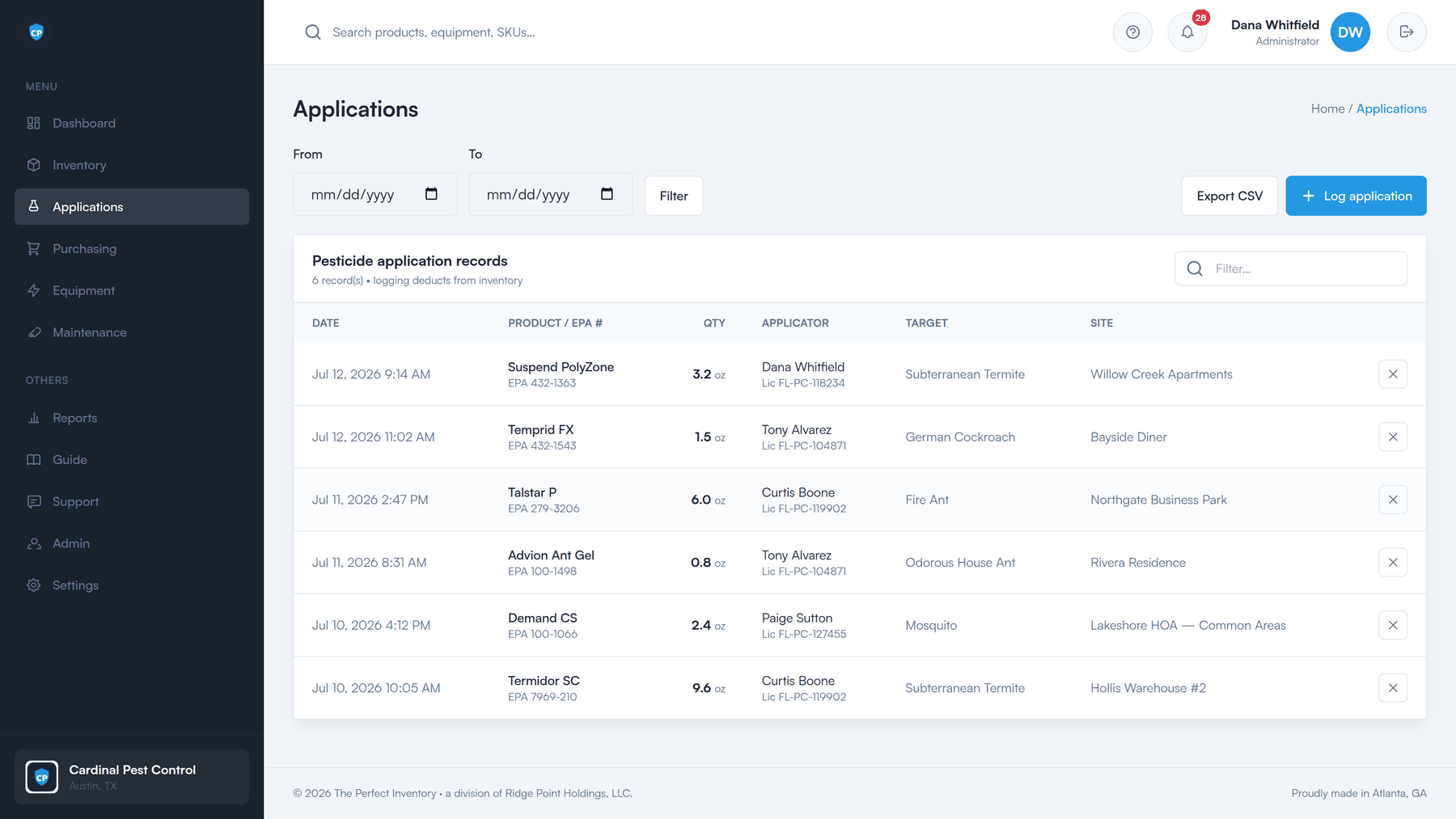
Pesticide application records: date and time, product with its EPA registration number, quantity applied, applicator with license number, target pest, and site — with an Export CSV button.
Why it matters

Paper logs don’t hold up to an audit

Applications and applicator licenses have to be documented. A binder in a truck and a spreadsheet on someone’s desktop are not a record you want to lean on when an inspector is standing in your office.

The record is scattered

Some of it is on paper in a glovebox, some is in a spreadsheet, and some of it is in a technician’s memory.

Licenses quietly lapse

Nobody is watching expiry dates until the day a tech applies on a license that ran out last month.

Audits become a scramble

Pulling six months of applications together by hand takes days you did not plan for.

To be clear about what this is. The Perfect Inventory keeps the record — complete, time-stamped, and exportable. It does not file anything for you, and it does not certify that you are compliant. Your rules are your rules. What we do is make sure that when someone asks for the paperwork, you have it.

The record

What a logged application actually captures

One entry per application. Every field a regulator tends to ask about, on the same row — so the record defends itself.

Date and time

Stamped when it happened — “Jul 12, 2026 9:14 AM”, not “sometime last week”.

Product and EPA #

The product applied, carrying its EPA registration number with it.

Quantity applied

How much actually went down, in the product’s own unit.

Applicator and license

Which technician applied it, with their license number attached to the record.

Target pest

What it was for — subterranean termite, German cockroach, fire ant, mosquito.

Site

Where it was applied, so the record ties back to a real address.

Zero double entry

Logging an application deducts it from inventory

This is the part that makes people actually do it. The compliance record and the stock count are the same action. Log 3.2 oz of Suspend PolyZone at Willow Creek Apartments and 3.2 oz leaves your on-hand count — nobody has to remember to go and subtract it.

  • One entry, two jobs

    The application is documented for the regulator and the stock is corrected for the warehouse, from a single form.

  • Counts stay honest

    Because usage flows out of real applications, the on-hand numbers reflect what is genuinely on the shelf.

  • The reorder list follows

    Accurate counts feed the low-stock warnings and the “needs ordering” worklist, so purchasing sees the truth too.

How stock control works
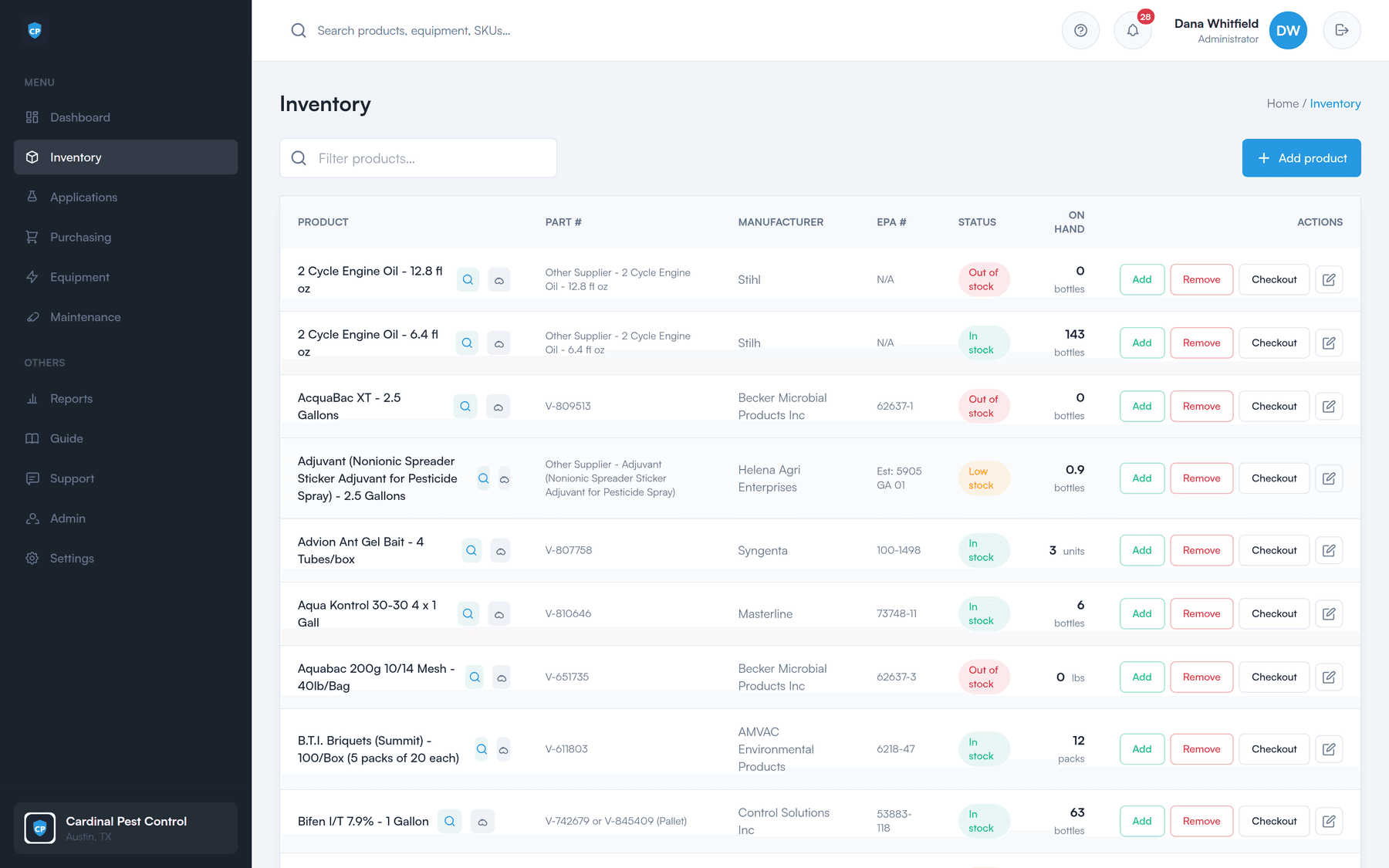
The inventory list with live on-hand stock levels per product, which applications draw down automatically.
Applicator licenses

Nobody applies on an expired license

Hold each applicator’s license number, category, and expiry in the system. The license number rides along on every application that technician logs. As an expiry approaches, it surfaces as an alert instead of a surprise.

  • License number, category, and expiry date per applicator
  • Expiry alerts before the date, not after it
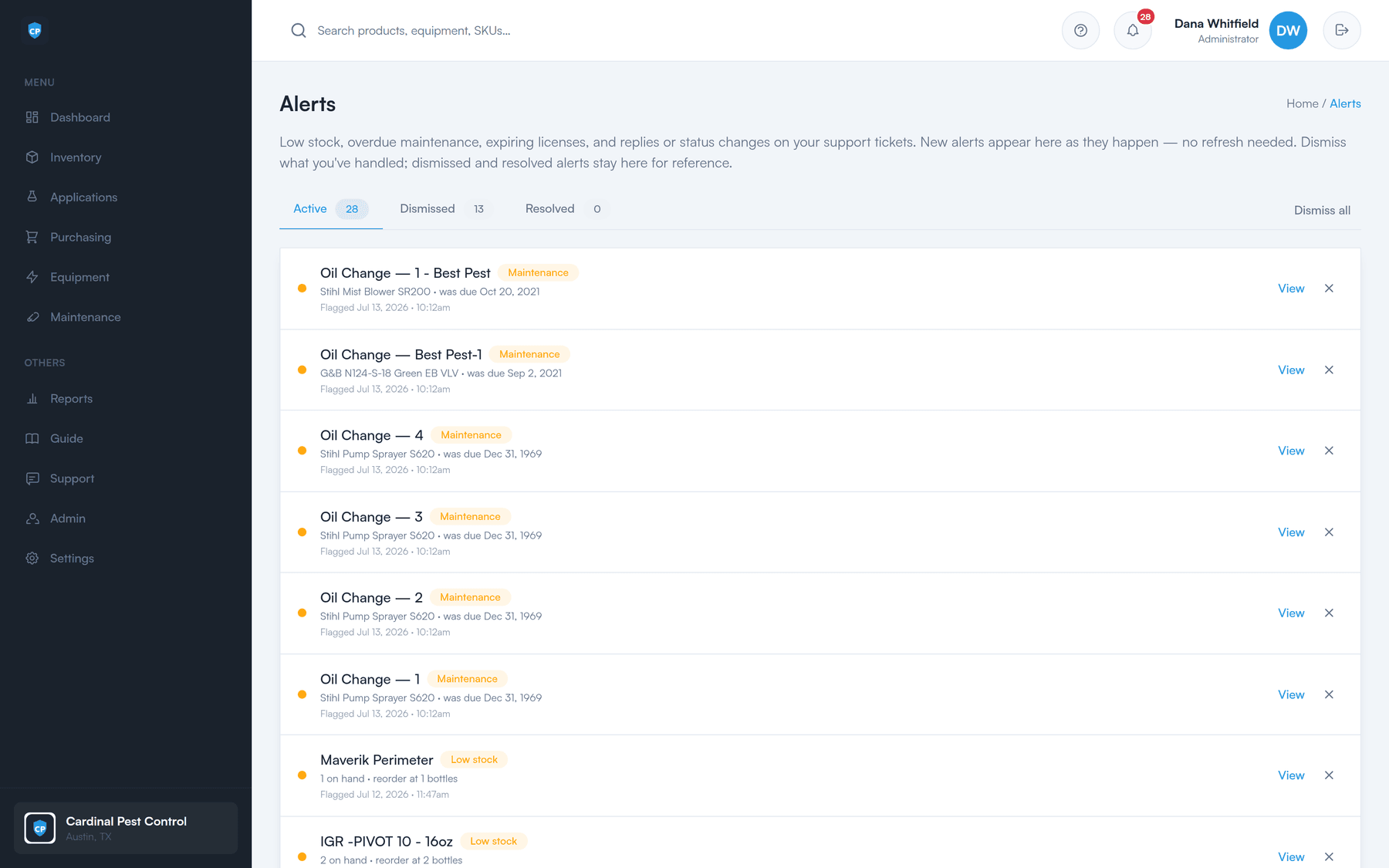
  • The alert bell counts expiring licenses alongside low stock and due maintenance
  • Every application carries the applicator’s license on the record
The alerts page listing active alerts for low stock, overdue maintenance, and expiring licenses, each with a view and dismiss action.
The export

Hand the auditor exactly what they asked for

Filter the applications to the window in question, hit Export CSV, and you have the record. That is the whole procedure — this is what “audit-ready in one click” means in practice.

01

Set the window

Pick a from and to date on the applications screen and filter. Search by product, applicator, or site if they want something narrower.

02

Export CSV

One button. Every logged application in that range, with its EPA number, applicator, license, target, and site.

03

Hand it over

Open it in Excel, print it, or send it on. It is a plain CSV — nobody needs an account to read it.

And behind it, the audit log. Key actions — stock changes, purchase orders, receiving, logins, emails — are recorded with who did them and when. The application record is the headline; the activity trail underneath it is what makes the whole thing hold together.

What it’s for

Purpose-built for pest control

Generic inventory tools make you keep compliance somewhere else — which is exactly how it ends up on paper. Here it is core, and it keeps your stock accurate as a side effect.

A defensible record

Time-stamped applications with product, EPA number, amount, applicator, license, target pest, and site.

No double entry

Logging the application is what deducts the product. One action, both outcomes.

Licenses under watch

Number, category, and expiry per applicator, with alerts before the date passes.

Ready when they ask

A one-click CSV of any date range, plus an audit log of who did what and when.

Built for pest control first — and it fits any field-service team that carries chemicals, parts, or equipment on a truck.

See it on your own stock list

A 30-minute walkthrough of the dashboard, the reorder worklist, a purchase order, and the field portal — using your products, not a canned demo.